
CLI Monitoring for your homelab.
hlabtop watches the machines in your homelab from one window: htop, your GPU tools (nvidia-smi, rocm-smi, amd-smi, nvtop, …) and live GPU, CPU and RAM graphs, side by side, over SSH. Nothing to install on the machines you watch — if you can SSH in, hlabtop can show it.
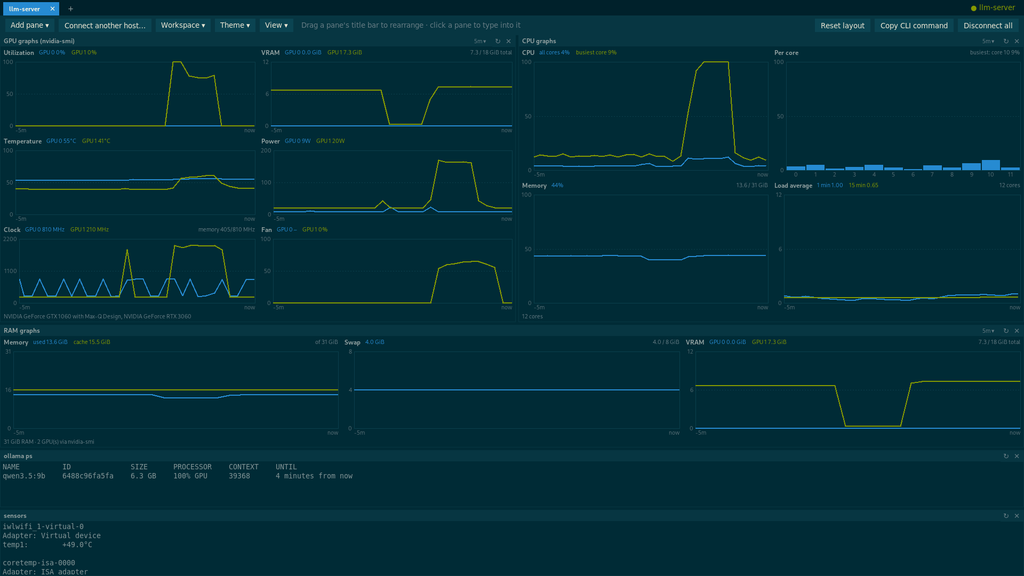
Utilize the CLI tools you already have installed
Hlabtop allows you to add custom panels that run commands in the SSH session. Use this to tail logs, inspect docker containers, or anything else you normally monitor on your servers.
Simply click the add button and choose custom command, add your command and hit ok. A few common examples you may find useful are:
journalctl -fu ollama

docker logs -f --tail 30 jellyfin

watch -d -n 5 zpool status

vnstat -l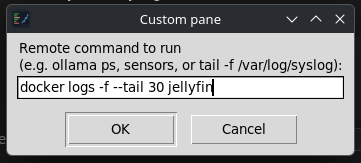
When adding commands, you don’t need to add ‘watch’. Hlabtop will prompt you to enable an auto refresh when setting up the panel. These will be denoted in your pane list with ‘(custom, repeats)’ after the pane’s title.
Save your Connections as a Workspace
After creating the perfect layout, you can save everything as a workspace. This will keep your panes and layout for each server connected. You can even set the last used layout to automatically open when you launch the app next.